
Meet Horus
Where I orchestrate my AI agents on the Mac: Claude Code and Codex, projects and context, all in one place.
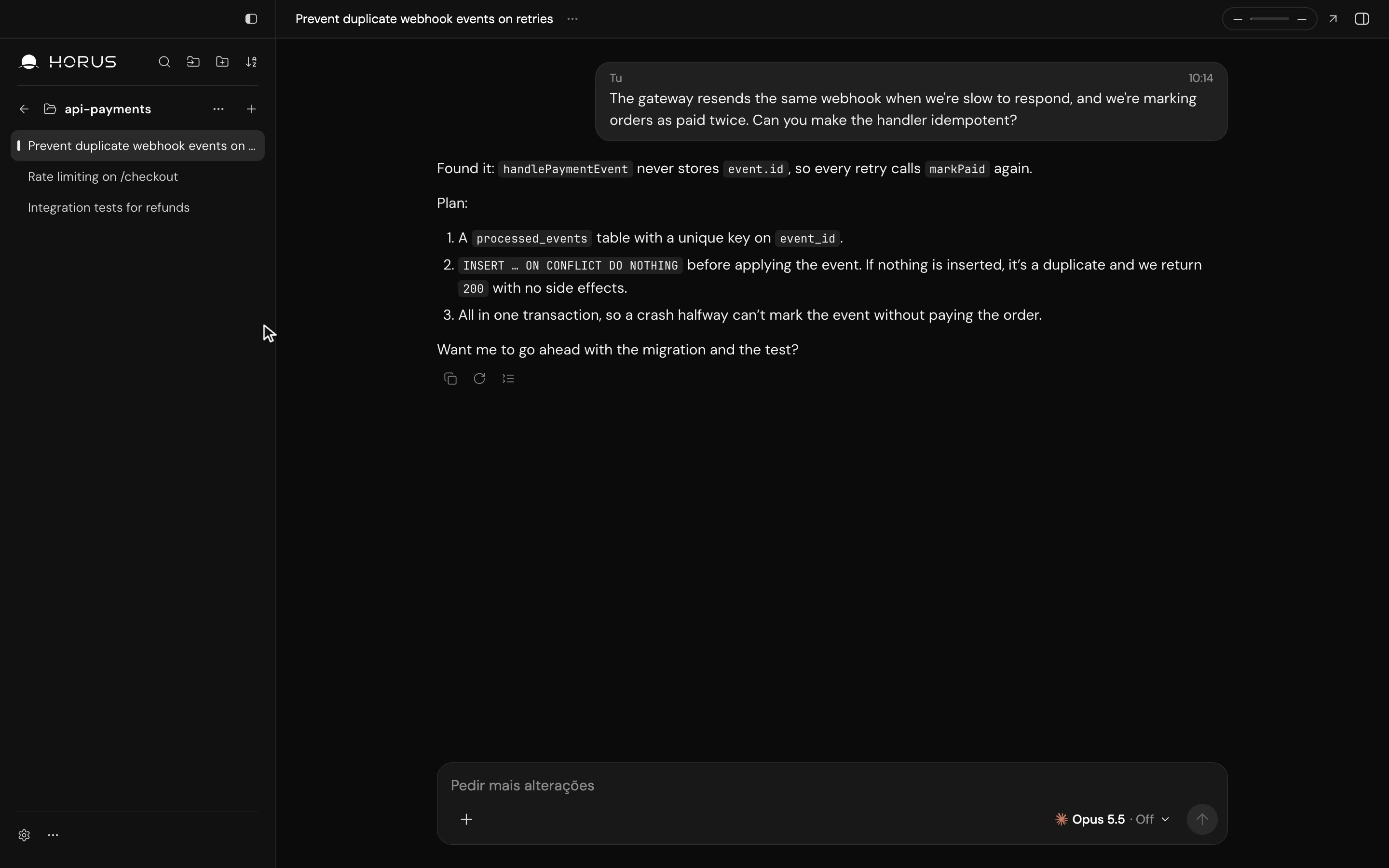
Conversations and projects
Every project keeps its own conversations. Open two side by side, or pop one out into its own window.
Claude Code and Codex. Bring your own subscription.
I use the local clients with a default account and model, and can switch to another account or model whenever I want.
claude setup-tokencodex loginAnd much more
Everything around working with agents, in one place.
- Agent browserNavigates, clicks and checks the result, with mobile previews.
- Built-in terminalMultiple tabs and processes that keep running between turns.
- Skills and MCPGlobal and project skills, and MCP servers in view.
- SSH serversMultiple servers, with access authorised per project.
- Files, diffs and GitReview changes, branches and local commits.
- Worktrees per conversationEach conversation can work in an isolated copy of the project.
- CheckpointsRestore the files from a turn, after confirmation.
- Project rules (Beta)Proposed from my corrections, accepted only after I review them.
- Agents that report backWhen a tool gets in their way, agents send a short report, without paths or secrets, so Horus keeps improving.
- Conversations with contextSearch, forks, split view and resumed replies.
- Documents next to the conversationMarkdown, PDFs and images open in the Document tab.
- Projects foundHorus finds the projects and skills I already use.
- Permissions in viewApproval per tool, depending on the provider and settings.
- Account usage and limitsEstimated tokens and costs by provider, model and project.
- History on the MacConversations, projects and history are stored on the Mac. Deleting a conversation or a project also removes its data.
- Themes and accessibilityThemes, fonts, density, high contrast and reduced motion.
Why I built Horus
The more I started working with Claude Code, Codex and other AI agents in the terminal, the more I realised one thing: the terminal is great for getting work done, but not for organising it.
These are very powerful tools, as we all know. The problem starts when we have several projects, features and sessions open at the same time.
Information quickly gets scattered. And if I leave a project alone for a few days, when I return I first need to work out where I left off, what has been done and what still needs doing.
That is exactly how Horus came to be.
Horus is the app for Apple Silicon Macs where I organise my projects and work with Claude Code and Codex, keeping conversations, tools and context together. It is in development, with access by invitation.